What to Check Before You Hire a Mobile App Design Company
Before you hire a mobile app design company, check three things: apps they designed that are live in the App Store and Google Play today, designs that follow iOS and Android conventions instead of one generic look, and a Figma handoff that developers have built from without guessing. A company that can show all three is worth a proposal. One that can only show Dribbble shots is not.
This is for a founder who has an idea, maybe a pitch deck, maybe a few sketches, and three proposals for "app design" that range from $8,000 to $90,000. They all promise research, wireframes and a beautiful UI. Here is how to tell them apart, and when you should not hire a design company at all.
What a Mobile App Design Company Delivers
A proper engagement produces more than screens. If a proposal does not list most of the items below, ask why, because the missing piece usually shows up later as a developer asking questions nobody can answer.
Research
Interviews with five to fifteen people who match your target user, a look at the apps they use now, and a short write-up of what they hate about them. For a first version this should take one to three weeks, not two months. If you already ran interviews, a good company reads your notes instead of billing you to redo them.
User flows and information architecture
A map of every path through the app: sign up, the core action, payments, settings, what happens when someone gets a push notification and taps it. This is where most of the product decisions get made, and it is the cheapest place to change your mind.
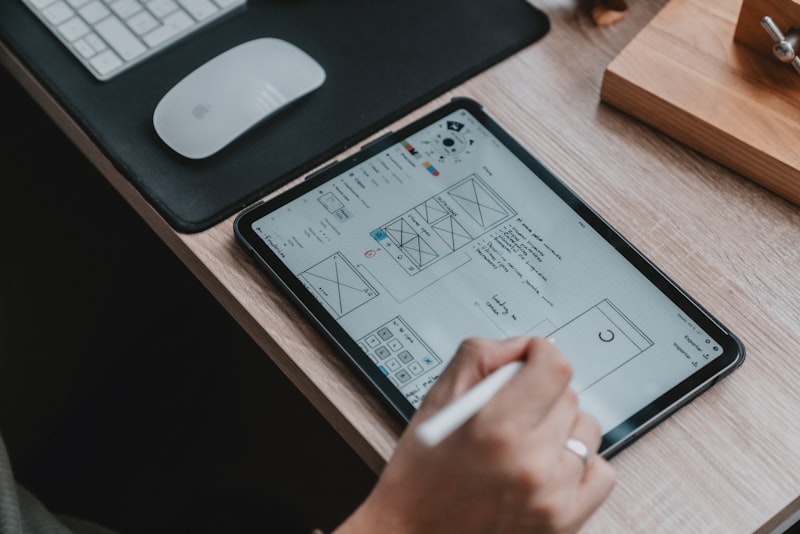
Wireframes
Grey boxes for every screen in the flow. They exist so you can argue about structure before anyone argues about color. If you want to test the riskiest flow fast, a five-day sprint works well here. We wrote up how to run a design sprint if you want to do it yourself first.
High-fidelity UI
The final screens, in light and dark mode if you need both, at real device sizes. Look for the boring ones: empty states, loading states, errors, permission prompts, the screen a user sees when they have no internet. Those are half the work of a real app and the first thing a portfolio leaves out.
A clickable prototype
Usually built in Figma, sometimes in ProtoPie or Framer for complex motion. You put it on a phone, hand it to five people, and watch where they get stuck. It also helps with investors.
A design system
Color, type and spacing tokens, plus the components: buttons, inputs, cards, sheets, tab bars, each with its states. For a first app this can be small. It should still exist, because it is what keeps screen 40 consistent with screen 4.
Developer handoff
A Figma file organized so an engineer can open Dev Mode and find every screen, every state, the exact spacing and the exported assets. The best handoffs map Figma components to code components, so the developer sees the real component name instead of a guess. A walkthrough call with your developers belongs in the scope, not in a change order.
What It Costs and How Long It Takes
Prices for app design are all over the place because "design" means different things in different proposals. Here are market ranges for design only, with no development, from US and Western European companies and senior freelancers.
- A simple first version with 10 to 20 screens, light research and a basic component set: roughly $8,000 to $25,000, over three to six weeks.
- A typical consumer or B2B app with 25 to 60 screens, real research, a prototype you test, and a proper design system: roughly $25,000 to $70,000, over six to twelve weeks.
- A complex product with several user types, payments, a web dashboard alongside the app, or regulated data in fintech or health: $70,000 to $150,000 and up, over three to five months.
Hourly, experienced US agencies tend to bill $100 to $250 an hour. Senior freelance product designers in the US often charge $75 to $150. Offshore studios can be well under $50 an hour, and the quality spread there is wide.
What moves the number: screen count, how many states each screen has, whether you design iOS and Android separately or share one design, how much research you buy, and how many rounds of revisions are included. A company quoting per screen is usually leaving out states, so ask what one "screen" includes. For a line-by-line breakdown of research, wireframes, UI and design systems, see our guide to UX/UI design costs.
One more number to keep in mind: design is usually 10 to 20 percent of what the first version of the app costs in total. The build is the bigger check, and the design decides how expensive the build gets.
When Hiring a Design Company Is the Wrong Call
We design apps, so take this from someone with a reason to tell you otherwise. A design-only company is the wrong hire more often than the industry admits.
- You already have developers you trust. If your engineering team is in place and the app is a first version with 15 screens, a senior freelance designer who works next to your developers will often do better than a studio that hands over a file and leaves. Less overhead, faster loops, and the person designing can ask the person building a question the same afternoon.
- You have not picked who builds it. This is the big one. If you pay one company to design and then go shopping for a developer, you are buying a file that was never checked against a budget. The developer quotes it, the quote is twice what you expected, and the design gets cut down by people who did not make it. Paying for design separately from build only makes sense when the build team is already chosen and involved.
- You need an investor demo, not an app. A clickable prototype from a freelancer for a few thousand dollars will do the job. A full design system for a product you have not funded yet is money spent early.
- The app is mostly standard screens. A booking flow, a profile, a feed, settings. Apple's Human Interface Guidelines and Google's Material Design already solved most of this, and a capable developer with a good UI kit can get you far.
When a design company is the right call: you are funded, the product has a hard UX problem at its center, you have an engineering team ready to build, and you want a senior team to own the experience end to end. That is a real situation. It is just not every situation.
Design Studio vs Freelance Designer vs Design-and-Build Team
Most founders choose between three options. Here is how they compare on what matters.
| Option | Market cost for a first app | Best for | Watch out for |
|---|---|---|---|
| Design-only studio | $25,000 to $90,000 for design. Build is separate. | Funded teams with engineers already hired and a hard UX problem | Screens nobody priced against a build budget. Handoff ends the relationship. |
| Freelance designer | $5,000 to $30,000 for design, or $75 to $150 an hour senior in the US | A small first version, a prototype for fundraising, or a team that already has developers | One person, one set of skills. Research and design systems are often thin. |
| Design-and-build team | Design is folded into the full project, which often runs $60,000 to $250,000 for a first app | Founders with no engineering team who want one owner from idea to App Store | Weak design hidden behind a dev shop label. Check the designers' portfolio on its own. |
If you have no developers yet, our pick is the design-and-build team. The people designing the screens are accountable for shipping them, which changes the decisions they make. If you already have a strong engineering team, a senior freelancer is usually the better buy, and a design-only studio earns its fee only when the product's hardest problem is the experience itself.
Red Flags That Should End the Call
Run every candidate through these. Most bad design engagements show at least two of them in the first meeting.

- A Dribbble-only portfolio. Beautiful shots with no product name, no App Store link, and no other screens behind them. Concept work is fine for a junior designer. It is not proof a company can design an app people use.
- No shipped apps. Ask for three apps you can download today. Install them. Check that the live app looks like the case study. If it does not, ask what changed and why. The answer tells you how they work with developers.
- One design for both platforms with no thought about either. iOS and Android users expect different things: back navigation, tab bars versus navigation bars, sheets, date pickers, how share works. A good company decides on purpose where the app follows each platform and where it uses its own components. Ask them to explain one of those decisions from a past project.
- No developers involved before handoff. If the first time an engineer sees the file is the day it is delivered, you will pay for that later.
- Handoff is "we send you the Figma link." Ask what a developer gets: named components, documented states, exported assets, spacing tokens, a walkthrough. Ask whether they stay available while the app is built.
- They will not let you talk to a past client. Every company has one happy client. Ask for one whose app is live and whose developers were a different team.
Most of these checks apply to any outside team, not just designers. For the contract and reference side, see our guide on how to vet a software development agency.
Questions to Ask Before You Sign
Ask these on the second call, once you know the company is in the running. Listen for specifics. A vague answer to any of them is an answer.
- Show me the full Figma file from a shipped app, not the case study. How are the pages organized for a developer?
- Which of your apps were built by a different team, and what did those developers ask you after handoff?
- How do you decide where we follow iOS and Android conventions and where we use our own components?
- What exactly counts as a screen in your quote, and are empty, loading, error and offline states included?
- Who on your team does the work, and will they be on our weekly call? Senior people in the pitch and juniors in the file is a common pattern.
- How many revision rounds are included, and what does a change cost after sign-off?
- When does a developer first look at the designs, and who pays for that time?
- Do we own the Figma file, the font licenses and the icons outright when we pay the final invoice?
Get the last one in writing. If the file lives in the studio's Figma account, you need their permission to get your own product back. The file should live in your Figma organization from day one, with the company invited as editors.
The Cost of Design That Developers Cannot Build
This is the expensive failure, and it rarely shows up until the build is under way. A design looks finished. Then the developers start, and the questions arrive.
A custom animated tab bar that needs a week of native work on each platform. A screen that assumes data the backend does not have. A chat view with no design for a failed send. A layout that breaks on a small Android phone or with large accessibility text. Twelve slightly different button styles, because there was no component system, only screens. Each one is a small decision. Together they become weeks.
Here is how the money goes. The developer either guesses, and you get an app that does not match the design, or stops and waits, and you pay for the wait. Then the design company bills for revisions, if they are still around. On a typical first version, we would expect that churn to add 15 to 30 percent to the build, and more on apps with heavy custom motion. A design that skipped states is often cheaper to finish during build than to fix later, but only if someone senior is making those calls.
How to avoid it:
- Have a developer from the build team review the wireframes, not just the final UI. Structure is where the cost lives.
- Ask for a component library in Figma that matches what the developers will use, whether that is SwiftUI, Jetpack Compose or a React Native library.
- Get every state designed for the core flows. The happy path is maybe a third of the screens.
- Agree on what custom motion is worth paying for before anyone animates it.
How We Design and Build Mobile Apps
We design and build. Kanopy is a product team that takes a founder's app from the first scoping call to the App Store, and the people who design the screens work alongside the people who build them from the first week.
HouseFax shows what that looks like in the file. It is a verified home record app, currently in build in React Native and Expo and not yet launched. The Figma file holds 158 phone screens: three onboarding paths, the five-tab app, and every empty, loading, error and permission state. The brand lives in one tokens.json that generates the React Native theme and seeds Figma, and 19 components are Code Connected to the React Native library, so a developer in Dev Mode sees the real component instead of a guess. That is what a handoff should look like whether we build the app or someone else does.
If you are comparing proposals, send them over and we will tell you what we think is missing, even if you hire someone else. Book a free strategy call