
Why UX/UI Design Pricing Is All Over the Map
You ask three design agencies what it costs to design an app and you get quotes ranging from $3,000 to $200,000. Both numbers can be legitimate. The gap comes down to what "design" actually includes in each proposal.
Some agencies quote a handful of static mockups in Figma. Others include competitive analysis, user interviews, journey mapping, interactive prototyping, usability testing, a full component library, and developer handoff documentation. These are fundamentally different scopes of work, and comparing them on price alone will mislead you every time.
At Kanopy Labs, we've seen companies waste six figures building products that nobody wanted to use, all because they skipped research and jumped straight to pixel-pushing. We've also seen lean startups stretch a $10,000 design budget into a product that converted beautifully because they invested in the right activities at the right time.
This guide breaks down what each piece of UX/UI design actually costs in 2026, so you can build a budget that matches your goals.
UX Research Costs: The Foundation You Shouldn't Skip
UX research is where most teams either overspend or, more commonly, spend nothing at all. Both are mistakes. Research removes guesswork from your product decisions, and it doesn't have to cost a fortune.
User Interviews: $3,000 to $15,000
A solid round of user interviews typically involves 8 to 15 participants, a discussion guide, moderated sessions, and a synthesis report. Freelance UX researchers charge $100 to $250 per hour, so a focused interview sprint runs $3,000 to $8,000. Agencies bundle this into discovery phases priced at $8,000 to $15,000, which usually includes recruitment, scheduling, and a polished deliverable.
Surveys and Quantitative Research: $1,500 to $8,000
Tools like Typeform, Maze, and UserTesting.com make quantitative research accessible. The tool costs are modest ($100 to $500 per month), but designing a statistically valid survey, recruiting the right panel, and analyzing results properly takes expertise. Budget $1,500 to $5,000 for a freelancer or $5,000 to $8,000 through an agency.
Competitive Analysis: $2,000 to $6,000
A proper competitive audit goes beyond screenshots. It maps feature sets, evaluates interaction patterns, benchmarks usability metrics, and identifies gaps you can exploit. For 5 to 10 competitors, expect $2,000 to $6,000 depending on depth.
If your budget is tight, start with five user interviews and a lightweight competitive scan. You'll learn more in two weeks of research than in two months of internal debate about what users want.
Wireframing and Information Architecture Costs
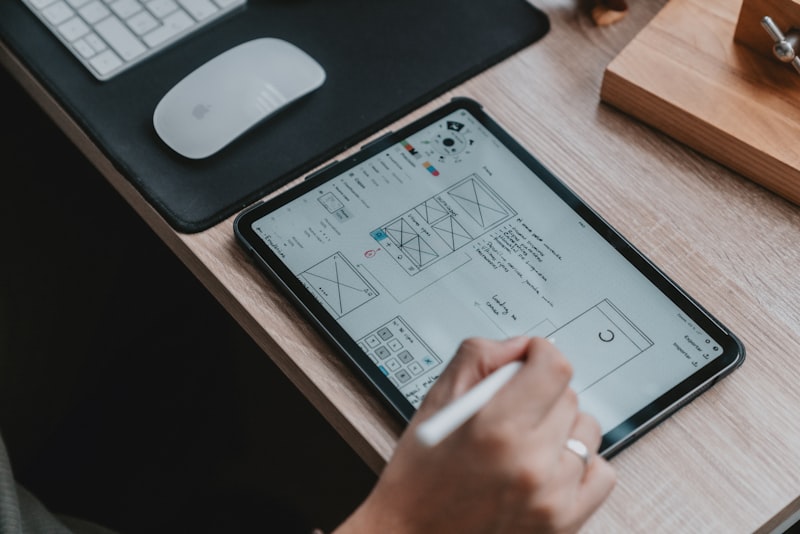
Wireframing is the structural phase of design. You're defining what goes on each screen, how users navigate between them, and what the content hierarchy looks like. No colors, no final typography, no polished visuals.
Low-Fidelity Wireframes: $2,000 to $8,000
These are quick sketches or simple grayscale layouts in Figma, Whimsical, or Balsamiq. They're disposable by design. A freelancer can wireframe a 15 to 20 screen app in one to two weeks for $2,000 to $5,000. An agency will charge $5,000 to $8,000 and typically include stakeholder workshops and revision rounds.
High-Fidelity Wireframes: $5,000 to $15,000
High-fidelity wireframes are pixel-accurate layouts with real content, proper spacing, and interactive click-throughs. They sit between wireframes and final UI. This level works well when you need stakeholder or investor buy-in before committing to visual design. Expect $5,000 to $10,000 from a senior freelancer and $8,000 to $15,000 from an agency.
Information Architecture (IA): $3,000 to $10,000
IA work includes sitemaps, user flow diagrams, content models, and navigation structures. For a complex SaaS product with multiple user roles and dozens of features, IA alone can run $5,000 to $10,000. For a simpler mobile app, $3,000 to $5,000 covers it. This work pays for itself by catching structural problems before a single screen gets designed.
Skip wireframing at your own risk. We've watched teams blow $30,000 on polished UI screens that had to be thrown out because the underlying flow didn't work. Wireframes cost a fraction of that and catch the same problems early.
UI Design Costs: Where the Visual Magic Happens
UI design is what most people picture when they think about "design." Colors, typography, icons, illustrations, spacing, and all the visual details that make a product feel polished and trustworthy. It's also where budgets can escalate quickly if you're not deliberate about scope.
Basic UI Design: $5,000 to $15,000
Standard platform conventions (Material Design for Android, Human Interface Guidelines for iOS) with your brand colors and typography applied. This works for internal tools, MVPs, and products where function matters more than novelty. You'll get a clean, professional look without custom illustration or complex animation.
Custom UI Design: $15,000 to $50,000
This is where most consumer-facing apps should land. Custom iconography, tailored component styles, thoughtful micro-interactions, and a visual language that differentiates you from competitors. A skilled UI designer will create 2 to 3 design concepts, refine the chosen direction, and deliver complete screens with responsive breakpoints.
Premium/Branded UI Design: $50,000 to $100,000+
Custom illustrations, animated transitions, 3D elements, complex data visualizations, and a completely unique aesthetic. Think Airbnb, Stripe, or Linear. This tier includes motion design, custom icon sets (often 100+ icons), and extensive art direction. It's justified when brand differentiation is a core competitive advantage.

One thing to watch: many freelancers and agencies quote UI design per screen. Rates range from $200 to $2,000 per screen depending on complexity and the designer's reputation. A 30-screen app at $500 per screen is $15,000. At $1,500 per screen, that same app is $45,000. Make sure you understand the per-screen scope before signing.
Design System Costs: The Long-Term Investment
A design system is a library of reusable components, patterns, tokens, and guidelines that keep your product consistent as it scales. If you're building a single small app, you probably don't need a formal design system. If you're building a product that will grow to 50+ screens, serve multiple platforms, or involve more than two designers, you absolutely do.
Lightweight Component Library: $8,000 to $20,000
A Figma component library covering your core UI elements: buttons, inputs, cards, modals, navigation patterns, and typography scales. Includes documentation on usage guidelines, spacing rules, and color tokens. This is enough for most early-stage products and small teams.
Full Design System: $25,000 to $75,000
Everything in the component library, plus coded components (React, React Native, or Flutter), Storybook documentation, accessibility guidelines, animation specs, and contribution workflows. Companies like Shopify (Polaris), Atlassian (Atlassian Design System), and GitHub (Primer) have invested millions in their design systems, but you can build a strong foundation for $25,000 to $75,000.
Enterprise Design System: $75,000 to $200,000+
Multi-brand theming, design tokens synced across platforms, automated accessibility testing, detailed governance documentation, and onboarding materials. This is for organizations with multiple product teams who need shared infrastructure.
The ROI on a design system compounds over time. Our clients who invest early typically see 30 to 50% faster feature delivery within six months because designers and developers stop reinventing components for every new screen. Figma's variables and component properties (introduced in 2023 and refined through 2025) have made building and maintaining design systems significantly faster than it was three years ago.
UX Audit Costs: Diagnosing Problems in Existing Products
A UX audit evaluates your existing product against usability heuristics, accessibility standards, and industry benchmarks. It's the design equivalent of a medical checkup, and it's one of the highest-ROI activities you can do if your product is live but underperforming.
Heuristic Review: $3,000 to $8,000
One or two senior UX professionals evaluate your product against established usability principles (Nielsen's heuristics, WCAG guidelines, platform conventions). You get a prioritized list of issues with severity ratings and recommended fixes. Timeline: 1 to 2 weeks. This is the fastest way to surface obvious problems.
Comprehensive UX Audit: $8,000 to $25,000
Combines heuristic review with analytics analysis (Google Analytics, Mixpanel, Hotjar heatmaps), user session recordings, a small round of usability testing (5 to 8 participants), and a detailed report with wireframe recommendations. Timeline: 3 to 5 weeks. This is what we recommend for products that have real traffic but disappointing conversion or retention metrics.
Accessibility Audit: $5,000 to $15,000
A focused evaluation against WCAG 2.2 AA or AAA standards, including automated scanning (axe, Lighthouse), manual keyboard and screen reader testing, and a remediation roadmap. With the European Accessibility Act taking full effect in 2025 and ADA lawsuits continuing to rise in the US, this is no longer optional for many companies.
A well-executed UX audit pays for itself fast. One of our clients saw a 40% increase in checkout completion after implementing fixes from a $12,000 audit. The changes cost another $15,000 to implement. Total investment: $27,000. Additional monthly revenue: over $60,000. That math works every time.
Prototyping and User Testing Costs
Prototyping and usability testing are where you validate your design decisions with real users before writing production code. Skipping this step is like building a house without reviewing the blueprints with the homeowner.
Interactive Prototyping: $3,000 to $12,000
Figma prototypes with realistic interactions, transitions, and conditional logic. Figma's native prototyping has gotten remarkably powerful, handling variables, expressions, and multi-step flows that used to require tools like ProtoPie or Principle. A clickable prototype of 15 to 25 key screens runs $3,000 to $8,000 from a freelancer and $6,000 to $12,000 from an agency.
For more complex interactions (drag-and-drop, gesture-based UIs, real-time data visualization), tools like ProtoPie ($13/month per editor) or Framer add fidelity that Figma can't match. Budget an extra $2,000 to $5,000 for advanced prototyping work.
Moderated Usability Testing: $5,000 to $20,000
A moderator guides 5 to 10 participants through task-based scenarios while observing their behavior, confusion points, and feedback. Includes test planning, participant recruitment, facilitation, and a findings report. Remote testing through platforms like UserTesting.com or Lookback keeps costs at the lower end. In-person lab testing (useful for physical product interactions or accessibility testing) pushes toward $15,000 to $20,000.
Unmoderated Testing: $1,000 to $5,000
Platforms like Maze, Lyssna, and UsabilityHub let you run tests asynchronously. You define tasks, participants complete them on their own time, and the platform captures click paths, completion rates, and satisfaction scores. It's faster and cheaper than moderated testing, though you lose the ability to ask follow-up questions. Budget $500 to $2,000 for the platform and $500 to $3,000 for test design and analysis.
The sweet spot for most startups: one round of unmoderated testing on wireframes ($2,000), then one round of moderated testing on the high-fidelity prototype ($8,000). Total: $10,000. That catches the majority of usability issues before a single line of production code is written.
Freelancer vs. Agency vs. In-House: Rate Comparison
Your team model has as much impact on cost as the scope of work itself. Here's what each option actually costs in 2026, based on our experience hiring, partnering with, and competing against all three.
Freelance UX/UI Designers
- Junior (1 to 3 years experience): $50 to $100/hour. Good for execution-level work under clear direction. Don't expect strategic thinking or research expertise.
- Mid-level (3 to 7 years): $100 to $175/hour. Can own a project end to end, though they may lack depth in specialized areas like motion design or design systems.
- Senior/specialist (7+ years): $175 to $300/hour. These designers bring strategic thinking, can run workshops, and have enough experience to challenge your assumptions productively.
Where to find them: Toptal screens heavily and delivers consistent quality ($150 to $300/hour). Dribbble and Behance are hit-or-miss but let you evaluate portfolios directly. ADPList is great for finding designers who also mentor, which correlates with communication skills.
Design Agencies and Studios
- Boutique studios (2 to 10 people): $150 to $250/hour, or $15,000 to $50,000 per project. You get personal attention from senior designers who do the actual work.
- Mid-size agencies (10 to 50 people): $200 to $350/hour, or $30,000 to $150,000 per project. More structured process, dedicated project management, and bench depth for larger scopes.
- Large agencies (50+ people): $250 to $500/hour. Enterprise clients with complex governance needs. You're paying for process, compliance, and brand reputation as much as design skill.
In-House Designers
- Product designer (mid-level): $90,000 to $140,000/year base salary in the US, plus benefits and tooling. Fully loaded cost: $120,000 to $190,000/year.
- Senior product designer: $140,000 to $200,000/year base. Fully loaded: $185,000 to $270,000/year.
- Head of Design/Design Director: $180,000 to $280,000/year base. Fully loaded: $240,000 to $380,000/year.
In-house makes sense once you have enough ongoing design work to fill 30+ hours per week consistently. Before that point, you're paying a full salary for part-time output. For most startups and growth-stage companies, a hybrid model works best: an agency or freelancer for the initial product design, then hiring in-house once the product is live and iterating.
Design Tool Costs and When to Invest More in Design
Your tool stack is the smallest line item in your design budget, but the wrong choices create friction that wastes designer hours. Here's what the standard toolkit costs in 2026:
- Figma: Free for individuals, $15/editor/month for Professional, $45/editor/month for Organization. This is the industry standard for UI design, prototyping, and design systems. Nearly every designer you hire will expect Figma.
- Figjam: Included with Figma plans. Covers whiteboarding, journey mapping, and workshop facilitation.
- Maze: Free tier available, $99/month for teams. Unmoderated user testing integrated directly with Figma prototypes.
- Hotjar/FullStory: $0 to $213/month depending on plan. Session recordings and heatmaps for live products.
- Lottie/Rive: Free to $50/month. Animation tools for micro-interactions and motion design.
- Stark: $49/month per seat. Accessibility checking plugin for Figma.
Total tool cost for a small team: $200 to $600/month. Negligible compared to people costs.
When to Invest More in Design
Not every product needs a $100,000 design investment. Here's how to decide:
Spend less ($5,000 to $15,000) when you're validating an idea, building an internal tool, or shipping an MVP to test market demand. Use templates, stick to platform conventions, and invest in wireframes over polish. Your goal is speed, not beauty.
Spend moderately ($15,000 to $50,000) when you have product-market fit and need to improve retention, conversion, or user satisfaction. This is the sweet spot for a UX audit plus a focused redesign of your most important flows.
Spend aggressively ($50,000 to $150,000+) when design is a competitive differentiator, you're entering a crowded market, or your user base has scaled past 10,000 active users. Poor UX at scale means churn at scale. The cost of not investing in design becomes measurable in lost revenue.
The biggest mistake we see is spending too little on design upfront and then paying 3x to fix usability problems after launch. Design is cheaper to change in Figma than in production code. Every dollar you invest in getting the UX right before development saves three to five dollars in engineering rework.
If you're unsure where your product stands or what level of design investment makes sense, we're happy to help you figure it out. Book a free strategy call and we'll give you an honest assessment of what your product needs, along with a realistic budget range.