What an App Like DoorDash Takes
Building an app like DoorDash takes a focused first version of roughly $100,000 to $200,000 and 5 to 7 months, and a full platform runs $300,000 to $600,000 or more over 10 to 15 months. Do not clone DoorDash. Pick one neighborhood, one kind of food or cargo, and one kind of customer, then build three apps (customer, merchant, courier), an admin panel, dispatch, and three-sided payments for that niche. The hard part is never the menu screen. It is moving a hot order from a kitchen to a door on time, and paying three parties correctly when it does.
DoorDash looks like a restaurant list with a checkout button. Underneath it is a logistics network, a payments platform, a point-of-sale integration layer, and a live operations center. A food delivery app is a three-sided marketplace, which is a very different animal from a two-sided one. You need customers who order, merchants who accept and prepare, and couriers who show up at the right moment, and all three have to be there on the same Friday night.
This article is the order we would build things in if you showed up with a niche and a budget. It covers the pieces of the product, cost and timeline, the stack, and the problems that decide whether the thing works: dispatch, ETAs, payments, menus, and the cold start. If you want the feature-by-feature version first, read our guide on how to build a food delivery app, then come back here for the harder questions.
The Three Apps Plus Admin
People hear "delivery app" and picture one app. You are building at least four products that share one backend. Budget for all of them from the first day, because a customer app with no way to accept an order is a demo, not a launch.
Customer app
Browse or search, view a menu, build a cart, pay, track the order live, rate it, and reorder. The screens are the easy part. The details that matter are a cart that survives a closed app, an address flow that does not fail on apartment numbers, and order tracking that updates without the customer pulling to refresh.
Merchant app
A tablet or phone app for the kitchen. It rings loudly when an order arrives, shows the ticket, lets staff accept, set a prep time, mark an item sold out, and mark the order ready. This is the app founders underbuild. A restaurant owner in the middle of a dinner rush will not tolerate a silent order, a login that times out, or a menu edit that takes ten taps. If the tablet fails, the restaurant turns you off.
Courier app
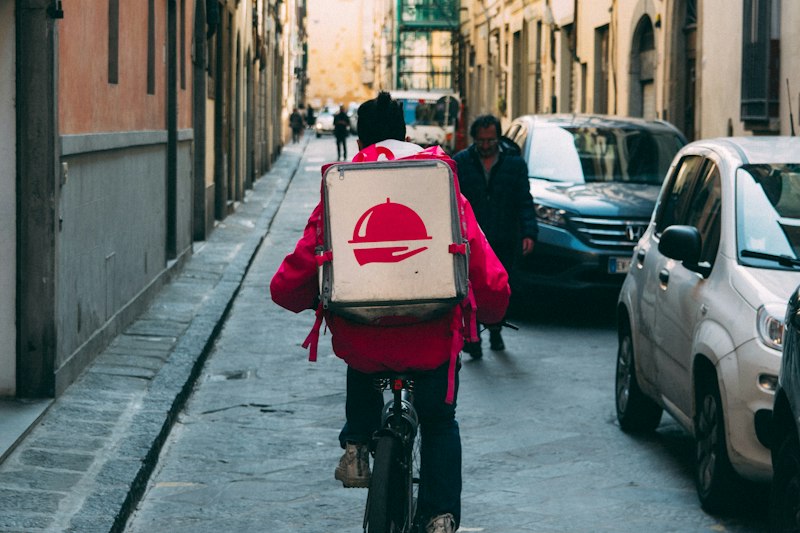
Go online or offline, receive an offer, accept or decline, drive to the pickup, confirm the handoff, drive to the drop-off, take a proof-of-delivery photo, and see earnings. It needs reliable background location, which is the hardest part to get right on both iOS and Android.
Admin and dispatch panel
A web dashboard for your team. Live map of couriers and orders, a list of late or stuck orders, manual reassignment, refunds and credits, merchant onboarding, menu approval, courier approval, and payout reports. In the first month, this panel is how you save bad orders by hand while the automation catches up. Founders who skip it end up editing the database during dinner service.
Cost and Timeline: Real Ranges
These are market ranges for a competent product team in the US or Western Europe, and they are estimates. Offshore rates run lower and so do the odds of finishing what you scoped, but the shape of the budget is the same. If you want a calculator-style breakdown of what drives app prices in general, our app development cost page walks through it.
- Focused first version: $100,000 to $200,000, 5 to 7 months. One neighborhood or city, customer, merchant and courier apps built in React Native, a simple admin panel, basic dispatch (offer to the nearest courier), live tracking, Stripe Connect payouts, tips, and push notifications.
- Mid-size platform: $200,000 to $350,000, 8 to 11 months. Adds order batching, smarter ETAs, scheduled orders, promo codes, ratings and support tooling, a POS integration for the largest merchant type in your niche, and a proper operations dashboard.
- Full platform: $300,000 to $600,000 and up, 10 to 15 months. Multiple cities, a dispatch optimizer, subscription pricing, merchant ads, fraud and chargeback tooling, native performance work, and a support console.
Four things move the number more than anything else. First, how many apps ship on day one. A tight scope for three cross-platform apps built from one codebase can save 30 to 40 percent over six separate native builds. Second, dispatch complexity. Nearest-courier assignment is a few weeks of work. Batching, predictive routing, and surge are months. Third, how many POS systems you integrate. Fourth, whether you serve food only or also groceries, alcohol, and retail, each of which adds its own rules for substitutions, age checks, and inventory.
Then there is the money after launch. Budget 15 to 20 percent of the build each year for maintenance. Add hosting at $500 to $3,000 a month at small scale, map, geocoding and routing calls that grow with every order, SMS, push, and identity checks for couriers. If you want to see how a similar on-demand build breaks down line by line, read how much it costs to build an app like Uber. The structure is close, and the cost drivers overlap more than you would expect.
Dispatch, Batching, ETAs, and Live Maps
Dispatch is the product. Customers do not remember your menu screens. They remember whether dinner arrived hot and when you said it would.
Dispatch
The first version is simple and works. When an order is accepted and nearly ready, find available couriers within a radius, rank them by distance to the restaurant, and send an offer with a 20 to 30 second timer. If nobody accepts, widen the radius and try the next. Store every offer, accept, decline, and timeout as an event, because those events are how you learn why orders go late. Add a manual override in the admin panel on day one. A human who can reassign an order in two clicks beats a clever algorithm that is wrong.
Batching
Batching is one courier carrying two orders from nearby restaurants to nearby addresses. It is what makes unit economics work at scale, and it is also what makes food arrive cold if you do it badly. Do not build it in the first release. You need real order density before it pays off, and real data on prep times before it is safe. Add it when a single neighborhood has enough orders in the dinner window that couriers are regularly waiting near each other.
ETAs
An ETA has three parts: prep time, courier travel to the pickup, and travel to the customer. Maps APIs give you the travel parts. Prep time is yours to learn. Start with a per-restaurant default that the merchant sets, then correct it using the gap between the "ready" tap and the actual pickup. Pad the promised time slightly and beat it.
Live maps
The map where a courier dot moves toward the customer is the most used screen in the app. Send courier location every 3 to 5 seconds while on a delivery, push it to customers over a WebSocket or a managed realtime service such as Ably or Firebase, and animate between points so the dot glides instead of jumping. Mapbox and Google Maps Platform both work.
Three-Sided Payments With Stripe Connect and Tips
One order moves money to three places. The customer pays the food, the delivery fee, the service fee, tax, and a tip. The restaurant gets the food subtotal minus your commission. The courier gets a base pay plus the tip. You keep the rest, and you pay the card fees out of it.
Stripe Connect is the default here, and fighting that default costs months. Create a connected account for every merchant and every courier, collect the customer payment on your platform, and transfer to each party on a schedule. Use Express accounts so Stripe hosts the identity and bank details onboarding, and so tax forms in the US are handled for you. Whether you use destination charges or separate charges and transfers depends on how you want refunds and disputes to land. With three recipients per order, separate charges and transfers is usually the cleaner choice.
The payment details that hurt later
- Tips: Show tip options at checkout and let customers adjust after delivery. Tips go 100 percent to the courier, and you should say so in the app. Couriers read the tip before they accept, and hidden tip logic is the fastest way to lose them.
- Authorize first, capture on acceptance: Hold the card when the order is placed and capture once the merchant accepts. If the restaurant rejects, release the hold instead of refunding.
- Partial refunds: A missing item is a refund for that item. A late order is a credit. Encode refund rules as data and give support a button for each.
- Courier payout speed: Weekly payouts are the baseline. Instant payouts are a feature couriers will switch apps for, and Stripe supports them for an added fee.
- Merchant commission: Large incumbents have historically charged restaurants commission tiers somewhere in the range of 15 to 30 percent, and that fee is the main reason independent restaurants look for alternatives. A niche platform at a lower flat rate has real room to win merchants. Model your margin before you promise any rate.
Card processing in the US typically runs around 2.9 percent plus 30 cents, with Connect fees on top that vary by account type and country. Check Stripe's pricing page for your market before you model anything. On a $35 order, card fees alone take roughly $1.30, and that is before a single courier is paid.
Menus and POS Integration
A menu is not a list of dishes. It is items, sizes, modifiers, combos, required choices, item availability by time of day, tax rules, and prices that differ between dine-in and delivery. The merchant also changes it constantly, and an out-of-stock item that stays on your menu produces a refund and an angry customer.
There are three ways to get menus into the app, and you will likely use all of them over time.
- Manual menu builder in the merchant app. The first version. Slow to set up, fully under your control. Offer to enter the first menus yourself for your first 20 restaurants.
- Menu import. A CSV or a spreadsheet template, or a PDF you parse with an AI model and then check by hand. This turns an hour of data entry into ten minutes.
- POS integration. Menus and orders flow straight to and from the restaurant's point of sale. Toast, Square, Clover, and Olo are common in the US. Order injection means the ticket prints in the kitchen without a second tablet. Each integration has its own approval process, so start early.
POS integrations are valuable and slow. Do not build one in the first release unless one POS dominates your niche. A single tablet that rings and prints is enough for the first 50 restaurants, and it is far cheaper. Add integrations when merchants start asking for them, which they will once you are sending real order volume.
Why a Niche Beats a DoorDash Clone
DoorDash has spent more than a decade building restaurant coverage, courier density, and brand habit. You cannot match that in a city by outspending them. You can beat them in a corner they cannot serve well.
A niche wins because it changes the economics. Think of a platform that only delivers from independent Ethiopian restaurants in one metro. Or alcohol and gifts with age verification. Or catering for offices, scheduled a day ahead. Or pharmacy runs for a retirement community. Or a single college campus or resort town. In each of these, you can do something the big apps do not: charge restaurants a lower flat fee, hand-pick every merchant, guarantee a delivery window, train couriers for the job, or serve a delivery area the big players ignore.
What a niche gives you
- Density. Fifty restaurants in six square miles feels like a service. Fifty restaurants across a state feels like nothing.
- A reason to switch. Cheaper commissions, faster support, or a category nobody else covers well. "Like DoorDash but ours" is not a reason.
The test is simple. If your pitch needs the sentence "we are like DoorDash," you do not have a niche yet. If your pitch is "we deliver catered lunch to office floors in Austin with a 15 minute window and a flat 10 percent fee," you do.
Cold Start by Neighborhood
A delivery app has the cold start problem of a marketplace, times three. No restaurants means no customers. No customers means no orders. No orders means couriers earn nothing and leave. So you do not launch a city. You launch a neighborhood.
Pick a zone small enough that a courier can reach any restaurant in it within 10 minutes. Then fill it before you open it.
- Sign 15 to 30 restaurants first. Walk in. Offer to enter their menu, photograph their food, and set up the tablet. Offer a launch rate, such as a low flat commission for six months. If you cannot get 15, the product has a supply problem that code will not fix.
- Hire a small, paid courier pool. A few couriers on guaranteed hourly pay during dinner hours, rather than only per-delivery pay, keeps delivery times short while order volume is thin. This is a marketing cost. Budget for it.
- Run the first orders by hand. Use the admin panel, a group chat with couriers, and Stripe payment links if you have to. You will learn prep times, pickup problems, and packaging issues faster than any analytics tool will tell you.
- Add the next neighborhood only when this one works. Work means repeat customers, on-time rates you are proud of, and couriers who stay.
Our two-sided marketplace cold start playbook covers the supply-first tactics in depth. Read it before you sign a build contract, because the plan for your first 20 restaurants should shape what you build first.
The Stack We Would Pick
Boring and proven beats clever. Spend your risk budget on the cold start and dispatch, not on infrastructure experiments.
- Mobile apps: React Native with Expo for the customer, merchant and courier apps. One TypeScript codebase for shared types, and you can share components across all three. Background location on the courier app needs a native module or Expo's location task support, and it deserves careful testing on real devices.
- Web: Next.js for the marketing site, restaurant pages that Google can index, and the admin and dispatch dashboard.
- Backend and database: Node.js with a typed API, PostgreSQL as the source of truth for orders and money. Add PostGIS for delivery zones and distance queries.
- Realtime: WebSockets through a managed layer such as Ably, or Firebase, for courier location and order status. Our comparison of Ably vs Pusher vs Supabase Realtime covers the tradeoffs.
- Maps and routing: Mapbox or Google Maps Platform for display, geocoding, directions and travel time.
- Payments: Stripe Connect with Express accounts.
- Jobs: A real queue such as BullMQ with Redis for dispatch timers, payouts, reminders, and reconciliation.
- Courier identity and background checks: Stripe Identity or Persona for ID, and a background check provider such as Checkr in the US.
We built Vybes, a members-only video-first dating app, on React Native with a Node.js backend, real-time WebRTC video, and push notifications for date scheduling, and it went from concept to the App Store in eight weeks. A delivery product is different in its logistics, but the foundation is the same: one cross-platform codebase, real-time features, and notifications that carry the experience. You can read the whole story in the Vybes case study.
What to Build First, and How to Start
You can launch a focused delivery product with a small senior team in 5 to 7 months if the scope is tight. The risk is not in the code. It is in scope that grows while the restaurants and couriers are still not signed.
The order to build in
- Merchant app and menu builder, with the loud order alert and an accept, prep time, and ready flow.
- Customer app: browse, cart, checkout, and live status.
- Stripe Connect payments: authorization, capture on acceptance, merchant payouts, and refund rules as data.
- Courier app with background location, offers, pickup and drop-off steps, and proof of delivery.
- Dispatch v1 and the admin panel, with manual reassignment and refunds.
- Tips, ratings, push notifications, and the live map.
- Everything else: batching, POS integrations, promos, subscriptions, scheduled orders, and surge pricing.
If you already know the corner you plan to own, whether office catering, a campus, a cuisine, or a delivery zone the big apps ignore, bring that plan and your first list of restaurants. We will scope the three apps and the admin panel, name the stack, give you a number and a timeline, and tell you which features to leave out until the first neighborhood works. For a deeper line-by-line view of the budget, start with how much it costs to build a food delivery app. When you are ready, book a free strategy call and we will map your delivery product to a first release you can launch.