The Short Answer on Your Lovable App
You should hire a developer for your Lovable app when it handles real user data or real money and you cannot say with confidence who can read what, or when each new prompt breaks something that worked yesterday. If neither is true, keep prompting and spend your money on finding customers. Most Lovable apps sit in that second group for longer than developers like to admit.
I am going to be blunt about this because the usual advice is self-serving. Agencies tell you to hire them at the first bug. Tool vendors and influencers tell you that you never will. Both are wrong. A prototype with ten testers and no payments is a perfectly good thing to keep building with prompts. An app holding customer emails, uploaded documents, and a Stripe account is a different animal, and it deserves a human who reads the code.
This post gives you the signs that tell the two situations apart, a plain description of what a rescue involves, and market ranges for what it costs. If you want the detailed pricing breakdown after this, our guide to what it costs to rescue a vibe-coded MVP goes deeper than I can here.

When You Should Not Hire Anyone
Let me start with the cases where hiring is the wrong call, because I would rather you keep your money than spend it badly.
Do not hire a developer if you are still testing whether anyone wants the product. A Lovable app that shows a landing page, a signup form, and a rough version of the core flow is doing its job if it gets you ten conversations with real buyers. Polishing the code behind an idea nobody has validated is the most expensive way to feel productive.
Do not hire if the app has no sensitive data and no payments. An internal tool for your own team, a calculator, a waitlist, a directory of public information. If it breaks, you lose an afternoon, not a customer. Prompt your way through it.
Do not hire because the code looks messy. Founders who open the GitHub repo for the first time see a sprawl of components and panic. Messy is normal. Generated code is rarely pretty, and pretty is not the standard. The standard is whether it is safe, whether it works, and whether you can keep changing it.
Do not hire because of a single bug. Lovable is good at fixing a contained problem when you describe it clearly. Give it the exact error message, the page, and what you expected. Use the Chat mode to ask it to explain the cause before it edits anything. Roll back to an earlier version if a change made things worse. That loop solves a large share of what feels like a crisis.
One more honest point. Lovable has improved a lot. It now builds on Lovable Cloud, which runs on Supabase's open-source foundation, or you can connect your own Supabase project. It syncs to GitHub in both directions, and it offers built-in security checks that scan your database policies and dependencies. Those scans are useful, and they are also documented as not being a full audit. Treat a clean scan as a good sign, not a verdict.
So the default is to keep prompting. The rest of this post is about the signs that tell you the default has stopped working.
Sign One: Auth and Row-Level Security Holes
This is the sign that matters most, and it is the one founders miss because everything looks fine on screen.
Most Lovable apps use Supabase for the database and login. Supabase exposes your database to the browser, and the only thing standing between a stranger and your users table is a set of rules called row-level security, or RLS. If those rules are missing or written wrong, anyone who opens the browser's network tab can read, and sometimes change, data that is not theirs. The app still looks perfect. Nothing errors. The hole sits there until someone finds it.
Here is how this goes wrong in practice:
- RLS is switched off on a table because it was blocking a feature, and nobody switched it back on.
- A policy says "any logged-in user can read this table" when it should say "this user can read their own rows."
- Admin checks happen in the interface only, so hiding a button is the entire security model.
- An API key or service key ends up in client-side code where anyone can copy it.
You can do a rough check yourself. Create two test accounts. Log in as the first, make some data, then try to load that data while logged in as the second, including by pasting a record URL directly. If you can see the other account's data, stop adding features and get a developer to review the policies this week.
If you store anything personal, health related, financial, or about children, do not wait for a symptom. The cost of a security review is small next to the cost of notifying every user that their data was exposed.
Sign Two: Supabase Policy Gaps and a Messy Data Model
Policies are one half of the database story. The other half is the shape of the data itself.
Prompt-built databases tend to grow by accretion. Each feature adds a table or a few columns, and nobody steps back to ask whether the pieces fit together. After a few months you see the same customer stored in three places with slightly different spellings, columns that hold either a number or the word "pending," and no foreign keys tying orders to the users who placed them.
That causes quiet damage first and loud damage later. Reports do not add up. A deleted user leaves orphaned records. A migration that Lovable generates on one prompt conflicts with the schema you changed by hand in the Supabase dashboard. At that point the AI is guessing about a database it cannot fully see, and each guess adds risk.
A developer fixes this in a specific order. They map the real entities, write the constraints the database should have been enforcing all along, move the data in a controlled migration, and then rewrite the policies against the cleaned model. It is unglamorous work, and it is also the work that lets you keep building for years instead of months.
If your data model scares you, that instinct is correct. It is a good reason to hire, even if everything on screen works today.
Sign Three: Payments and Anything Touching Money
Payments are where I stop telling founders to keep prompting.
Stripe checkout itself is easy, and Lovable can wire it up in an afternoon. The trouble is everything around checkout. Webhooks that must be verified so nobody can fake a "payment succeeded" event. Subscription states that need to stay in sync when a card fails, a plan changes, or a customer disputes a charge. Refunds that have to reverse access. Idempotency, so a retried webhook does not grant credits twice.
A generated payment flow usually handles the happy path and nothing else. It works in every demo and fails on the first awkward real customer. The failure is also expensive in a way that bugs elsewhere are not, because it either gives away your product or charges people wrongly.
The rule I use is simple. Before real money flows through the app, a developer should read the webhook handler, the entitlement logic, and the tax and refund behavior. That review is usually a few days of work. It is cheap insurance, and it is one of the few places where I would hire before there is visible trouble.
Signs Four to Six: Performance, Prompt Loops, and Regressions
These three are less dangerous than security and payments, but they are the ones that make founders feel stuck.
Performance that gets worse as you grow
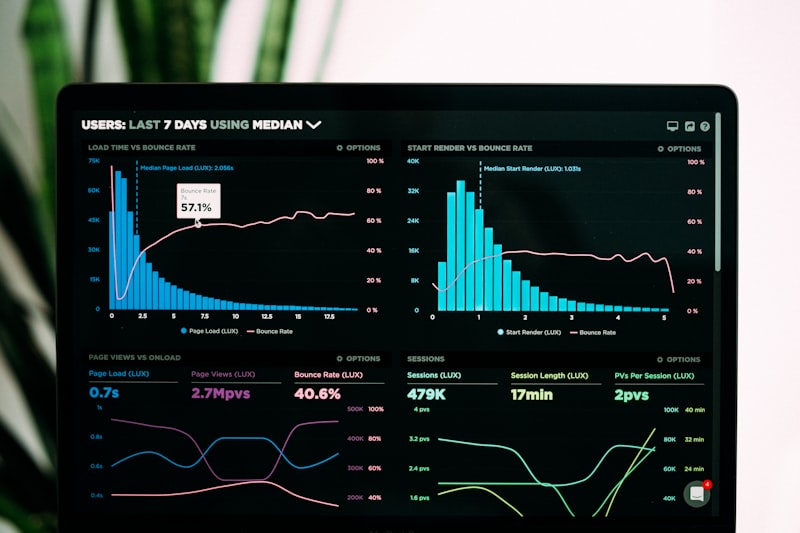
Pages that took a second to load now take six. Lists fetch every row and filter in the browser. There are no database indexes, so a query that was fine with 200 records crawls at 20,000. The app also makes the same request four times because several components each ask for the same data. A developer finds these in a day or two with a profiler and the Supabase query logs, and the fixes are well understood. Prompting rarely finds them, because the AI cannot see how the app behaves under load.
Prompt loops
You ask for a fix. It changes something. The original bug returns, or a new one appears. You ask again and it reverses its own work. If you have repeated roughly the same request more than four or five times, you are in a loop, and more prompting will burn credits without a result. Lovable's paid plans run on credits, and a loop can use a month of them in a weekend. Loops usually mean the underlying structure is wrong, such as state managed in three places or a component doing five jobs. The fix is a human decision about structure, not a better-worded prompt.
Regressions
Every change breaks something unrelated. This happens because the app has no automated tests, so nothing tells you that the checkout broke when you edited the profile page. The first thing a developer adds is a thin layer of tests around the flows that earn money. After that, changes get cheaper and calmer.
Any one of these on its own is a yellow light. Two together, or one together with Sign One, Two, or Three, is a reason to make the call.
What a Rescue Actually Involves
Founders imagine a rescue as someone rewriting everything. It is usually much smaller, and it follows a predictable shape.
- Export and read. The developer connects to your GitHub repo and your Supabase project, runs the app locally, and reads the code. This takes one to three days and ends with a written list of problems ranked by risk.
- Secure it first. Auth flows, RLS policies, exposed keys, and webhook verification get fixed before anything else. Nothing you want to ship matters if the data is open.
- Stabilize. Add tests around the flows that matter, set up error monitoring such as Sentry, add a staging environment, and make deployment repeatable. This is what stops the regression cycle.
- Repair the data model and performance. Constraints, indexes, query fixes, and a cleaner schema where the old one is hurting you.
- Decide: refactor or rebuild. Most apps can be refactored in place. A smaller number are better rebuilt, and the honest developer tells you which one yours is and why.
That last step is a real decision with real tradeoffs, and we wrote a full framework for it in when to rebuild a vibe-coded app. If the answer is rebuild, how to rebuild a vibe-coded MVP for production covers how that goes.
One practical note. Because Lovable syncs with GitHub, a developer can work in the repo and push changes that flow back into the project. You can keep using Lovable for small interface edits while they work, as long as you agree on who touches what. Without that agreement you get merge conflicts, which are a headache for everyone.
What It Costs on the Market
These are market ranges for 2026, not anyone's price list. Your number depends on how much code exists, how sensitive the data is, how many integrations you have, and whether the developer is a freelancer, a small studio, or a larger agency.
- Audit only: roughly $1,500 to $5,000 for a written review of security, data model, and code quality. Freelancers sit at the low end, studios in the middle. This is the right first purchase for most founders.
- Targeted fixes: roughly $3,000 to $15,000 to close security holes, harden payments, and fix performance on a small app. Timeline is one to four weeks.
- Full stabilization: roughly $15,000 to $50,000 for tests, monitoring, schema repair, and a cleaned-up codebase on a mid-sized product. Expect four to ten weeks.
- Rebuild for production: roughly $40,000 to $150,000 and up, depending on scope. Eight to twenty weeks is typical.
Hourly rates behind these numbers run about $60 to $120 for freelancers, $100 to $200 for studios, and $150 to $250 or more at larger agencies, with US and Western European rates at the top of each band.
Two things move the price more than anything else. The first is how well the original prompts documented what the app is supposed to do. A founder who can explain the intended behavior saves the developer days of guessing. The second is how many third-party services the app touches. Each integration is a place where a webhook, a key, or a permission can be wrong.
Compare that to the monthly cost of staying put. Lovable's paid plans start at roughly $25 a month and rise with credit volume, and Business tiers cost more. That is cheap for a prototype and a poor trade if you are paying it while the app leaks data. For the line items behind these ranges, see our rescue cost breakdown.

How to Pick Who to Hire, and How to Avoid Getting Burned
Whoever you hire, a few habits protect you.
Start with a paid audit, not an open-ended retainer. A good developer returns a ranked list of problems and a fixed-scope estimate for each. If someone quotes a full rebuild before reading the code, walk away. They are selling what they like to build, not what you need.
Ask them to show you the RLS policies they would write and why. Someone who has worked with Supabase can explain it in plain language in ten minutes. Someone who has not will talk about "best practices" and change the subject.
Keep ownership of everything. The GitHub repo should live in your account, the Supabase project in your organization, and the domain and Stripe account in your name. Lovable's export makes this easy, so any developer who resists it is telling you something.
Finally, ask what they will do about the thing you built. A good rescue developer respects what the prototype got right. You proved that people want this, and that is the hard part. The code is the cheap part to improve.
For a sense of what a product looks like when it is built on purpose from the start, look at our Vybes case study. It is a members-only video dating app we took from concept to the App Store in eight weeks, on React Native and Node.js, with ID verification and real-time video calling. Those are exactly the areas, identity and sensitive data, where I would never want a founder guessing.
A Simple Decision Rule for Your Lovable App
If you want a rule you can apply tonight, here it is.
Keep prompting if you have no real users, no payments, no sensitive data, and the bugs you hit are contained and fixable in a few tries. Put your effort into customers.
Book an audit if you have real users and can answer yes to any of these: you cannot say who can read what in your database, you take payments, the app has slowed down as it grew, you are stuck repeating the same prompt, or every change breaks something else. An audit costs little and tells you whether you have a small problem or a large one.
Plan a rebuild only after an audit tells you the structure is the problem, not the surface. Most Lovable apps are worth keeping and fixing. Some are best treated as a very detailed spec for a proper build, and there is nothing shameful in that. The prototype did its job.
Kanopy works with founders at exactly this point, starting with a review of what you have and an honest answer on whether you need us at all. If your Lovable app has real users and you are not sure it is safe, book a free strategy call.