
The Short Answer on Cost
Adding subscriptions to an existing app costs roughly $15,000 to $40,000 for a one-plan app on iOS and Android, $40,000 to $90,000 for multiple tiers with a web checkout, and $80,000 to $150,000 or more when you add team seats and invoicing. Timelines run 4 to 6 weeks for the simple case and 10 to 16 weeks for the large one. Use RevenueCat or a similar service instead of building billing yourself, and budget real time for the part founders forget: moving the users you already have.
The ranges are lower than a from-scratch subscription app because the product already exists. You are not paying for screens, accounts or content. You are paying for a billing layer, a paywall, a server that knows who has paid, and a careful migration of everyone who got the app on the old terms.
That last piece is where the budget moves. A free app has no purchase history to respect. An app that sold a one-time unlock has thousands of people who paid already, and every one of them will email you if they lose a feature. We will get to that, but first the shape of the work.

Everything below is market pricing, not a quote. A US senior mobile engineer runs $120 to $200 an hour at an agency or $90 to $150 as a freelancer. Check the vendor page for any tool price, because they change.
What You Are Actually Paying For
A subscription feature looks like one button and a price. Underneath it is seven pieces of work, and the cost of each is fairly stable across projects.
- Store billing on the client. StoreKit 2 on iOS and Google Play Billing on Android. Direct integration of both runs $8,000 to $20,000. Through RevenueCat or a similar SDK it drops to $3,000 to $8,000.
- Products and pricing setup. Subscription groups in App Store Connect, base plans and offers in Play Console, intro offers, regional prices. $1,000 to $3,000, mostly careful clicking and review waits.
- Paywall design and build. $3,000 to $10,000 for one good screen, more if you want several variants.
- Server-side entitlements. A backend that records who has access and why. $4,000 to $15,000 depending on how your existing accounts work.
- Webhooks and receipt validation. Handling renewals, cancellations, refunds and billing retries. $3,000 to $10,000 if you run it yourself, close to zero extra if the vendor does it and you only consume one webhook.
- Migration of existing users. $3,000 to $20,000, and the most variable line on the list.
- Testing and release. Sandbox runs, TestFlight, staged rollout. 15 to 25 percent of the build cost, and it should not be squeezed.
Add analytics events and a dashboard on top, usually $2,000 to $6,000, and you have the full menu. A one-plan app buys the cheap version of most items. A multi-tier app with web buys the middle. A team product with seats buys the expensive version of nearly all of them.
Store Billing: StoreKit 2, Play Billing and the Case for RevenueCat
Apple and Google both require their own billing for digital subscriptions sold inside an app, with a few regional exceptions that are covered below. On iOS that means StoreKit 2. On Android it means the Google Play Billing Library. Both are well documented and both have edge cases that eat weeks: interrupted purchases, pending payments, plan changes mid-cycle, family sharing, a user with two Apple IDs.
Raw integration
Building directly on both stores costs $8,000 to $20,000 for the client code, and then you still need a server to verify purchases and listen to store notifications. Apple sends App Store Server Notifications and Google sends Real-time developer notifications. Each has its own payload, signing and retry behavior. Add $6,000 to $15,000 for that backend. Total for the raw route: $14,000 to $35,000, with a long tail of bugs.
RevenueCat and similar
RevenueCat wraps both stores in one SDK, validates receipts on its servers, keeps a customer record and sends you webhooks. Adapty and Qonversion do the same job with different tradeoffs, and Superwall focuses on paywalls. For the head-to-head, read our comparison of Superwall, RevenueCat and Adapty.
The vendors price on tracked revenue, not on engineering hours. RevenueCat has historically been free until a few thousand dollars of monthly tracked revenue and then takes a percentage, around 1 percent at the time of writing, but check the vendor page because tiers and thresholds change. Even at 1 percent, a $20,000 monthly revenue app pays about $200 a month. That is a rounding error against the $15,000 you would spend building the same thing.
My pick for almost every existing app: use the vendor SDK. The exceptions are rare. A company with a strict data residency rule, or one doing hundreds of thousands of dollars a month where a few thousand dollars in fees starts to matter, can justify raw billing. Everyone else is paying engineers to rebuild a commodity.
Entitlements, Webhooks and Moving Your Existing Users
This section is the difference between a $20,000 project and a $50,000 one for the same app.
The entitlement layer
An entitlement is a yes or no answer to "can this user use this feature right now." Your app probably has no such concept today. A free app treats everyone the same. A one-time purchase app has a single flag, something like isPro, stored locally or on a user row.
You need a server-owned record of access that survives reinstalls, device changes and platform switches. The vendor holds the purchase truth. Your backend holds the answer your features check. Wiring those together through webhooks is typically $4,000 to $12,000 for a standard account system, more if you have no accounts at all and have to add sign-in first. Adding auth to an app that never had it can double the project.
Grandfathering
If you sold a one-time unlock, you have three options, and each has a different price tag.
- Keep legacy buyers on lifetime access. Cheapest in the short run and the fairest. You need to identify them reliably. On iOS, the app receipt or the original purchase information from StoreKit lets you check whether a user installed before a given version or date. Budget $3,000 to $8,000 to build, test and keep that check correct on both platforms.
- Give them a time-limited free period. Say 12 months of the new plan. Costs a little more engineering, since the grant has to expire and renew into a paid state.
- Convert them to a paid plan at a discount. The riskiest on reviews and support. It costs more to message, test and support, and some of those users will leave a one-star review.
Whichever you pick, test it with real old builds. Most grandfathering bugs show up for users on versions two or three releases back, and they are the people who paid first.
Free users
Free users are simpler. You decide which features move behind the paywall and which stay free. The money goes into feature gating throughout the app, $2,000 to $8,000, and into a plan for the angry reviews that follow when a free feature gets restricted. Move new features behind the paywall before you move old ones.
Paywalls, Experiments and Web Checkout
The paywall is the one screen that directly makes or loses revenue, so it deserves more care than its size suggests, and it is also where founders tend to spend either too little or far too much.
Paywall design
One clean paywall with two or three plans, a clear price, a trial or intro offer and a restore link costs $3,000 to $10,000 including copy and localized prices. A remotely configured paywall from RevenueCat Paywalls, Adapty or Superwall costs less to build, since the vendor renders the layout, and lets you change it without an app release. Expect $2,000 to $6,000 of setup and then ongoing work.
Experiments
Testing price points, trial lengths and layouts is where subscription revenue grows. A test needs traffic. If your app gets 300 new users a week, a split test will take months to read, and the engineering you paid for sits idle. Launch with one paywall, collect two or three months of data, then test one variable at a time. Budget $1,000 to $3,000 a month of design and analysis time once you have the traffic.
Web checkout with Stripe
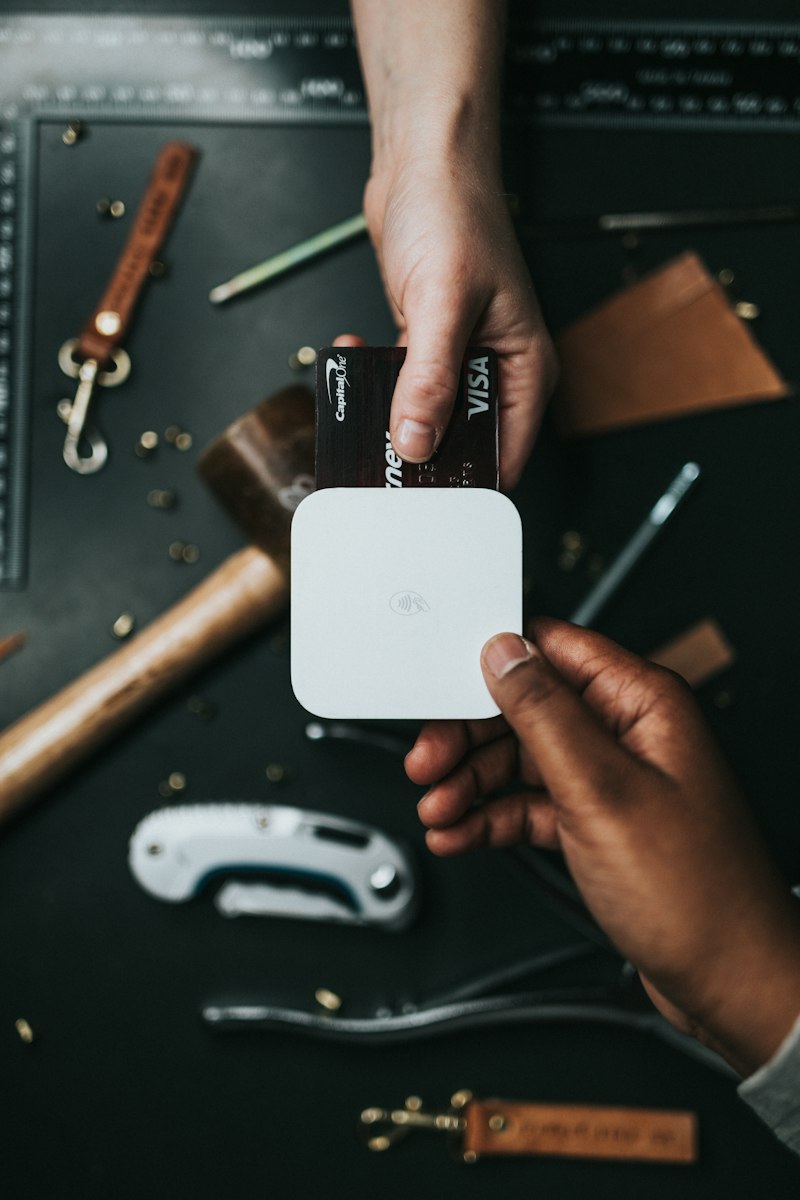
Selling the same plan on your website through Stripe avoids store commission, and your customers can pay by card, Apple Pay or bank debit. Stripe's standard card rate is around 2.9 percent plus 30 cents per charge in the US, so check the Stripe pricing page for your region. Compare that to 15 or 30 percent in the stores and the appeal is obvious.
The cost is the extra work. A web checkout with a pricing page, Checkout Sessions, a customer portal, webhooks into the same entitlement table and account linking runs $8,000 to $25,000. Rules differ by country and change often. In the US, a 2025 court ruling loosened Apple's restrictions on linking out to web payments, and the EU has its own regime. Ask a lawyer and read the current App Store guidelines before you build around it, since this area moves quickly.
My advice: ship store billing first, add web checkout when you have enough paying users that fees show up in a budget meeting. If your product already has a web app, the order flips and web is the natural starting point. Our guide to implementing subscription billing covers the Stripe side in more detail.
Fees, Tax, Restore Purchases and Testing
These are the line items that do not appear in an agency quote but do appear in your bank account.
Store commission
Apple's App Store Small Business Program lowers the commission to 15 percent if your proceeds were under $1 million in the prior calendar year, and you have to enroll. Without it, the standard 30 percent applies. Apple also drops the rate to 15 percent for a subscriber after their first year in the standard program. Google Play charges 15 percent on subscriptions. Always confirm the current terms on each store's developer pages before modelling margins.
A quick example. At $10,000 a month in subscription revenue, 15 percent is $1,500 and 30 percent is $3,000. Over a year the gap is $18,000. Enroll in the program before your first sale.
Tax
The stores act as the merchant of record for in-app purchases and handle sales tax and VAT in most regions. That is a hidden benefit. Web checkout moves that duty to you. Stripe Tax or a merchant of record like Paddle can take it on, at roughly 0.5 percent extra on Stripe Tax or a larger flat percentage on Paddle, so check each vendor page. Plan for an accountant conversation if you start collecting money directly.
Restore purchases
Apple rejects apps that sell non-consumable purchases or subscriptions without a way to restore them. It is a button and a call to the SDK, $500 to $1,500, but it needs thought when you also have legacy buyers and web customers. A user who paid on the web and opens the iOS app should see their access. That is why account linking matters.
Sandbox testing
Plan 1 to 2 weeks of testing time. You need to test new purchase, renewal, cancellation, refund, billing retry, upgrade, downgrade, restore, a user with an old build and a user who reinstalls. Sandbox renewals are accelerated, so a monthly plan renews every few minutes. Do not skip the TestFlight pass on real devices.
Cost by Scope, With Timelines
Here are the three scopes I see most, with ranges you can hold up against any quote.
One-plan app, iOS and Android: $15,000 to $40,000, 4 to 6 weeks
One subscription with monthly and annual prices, a single paywall, a vendor SDK, a webhook into your backend, restore purchases and a simple grandfathering rule. An existing app with accounts sits at the low end. An app with no accounts, a messy backend or a large legacy buyer base sits at the high end.
Multi-tier with web checkout: $40,000 to $90,000, 8 to 12 weeks
Two or three tiers, such as Basic and Pro, add-ons, a Stripe web checkout, shared entitlements across web, iOS and Android, paywall experiments, localized pricing, a customer portal and real analytics. The cost climbs because every rule must hold in three places. A refund on web and a refund on iOS should both revoke access, and a user who upgrades on web should see it on their phone within seconds.
B2B with seats: $80,000 to $150,000 or more, 10 to 16 weeks
Team accounts, seat counts, invoicing, admin roles, SSO, annual contracts and usage limits. At this point the app stores are often the wrong channel for the main revenue, and Stripe Billing or a similar system carries most of the load. The mobile app becomes a place where already-paying customers sign in.

These numbers assume a competent team and a stable existing codebase. If the app is old, poorly typed or has no tests around the purchase flow, add 20 to 40 percent. Our wider breakdown for products built around recurring revenue is in the subscription consumer app cost guide.
What Drives the Price Up and Where Founders Overspend
What pushes cost up
- No user accounts yet. Adding sign-in, password reset and account recovery is its own project.
- A large base of one-time buyers who need individual handling.
- Selling across iOS, Android and web with one shared plan.
- Multiple currencies, free trials, intro offers and promo codes all at once.
- An old codebase, an old SDK version or a cross-platform framework with outdated billing plugins.
- Compliance work for kids, health or finance categories.
Where the money gets wasted
Building your own billing. It feels cheap because the engineers are already on payroll. Then you maintain receipt validation for years. A vendor SDK costs less than one engineer-month.
Over-testing paywalls on a small audience. I covered this above. Experiments need volume. Without it you are paying for noise.
Five plans at launch. Weekly, monthly, quarterly, annual and lifetime on day one means five prices to localize, five states to test and a confusing screen. Start with monthly and annual. Add what the data asks for.
Web checkout before you have users. The fee savings are real only once volume exists. Early on, the store handles tax, refunds and fraud for you at a price that is fine.
Ignoring the existing users until the end. This is the expensive mistake. Teams build the happy path, then discover legacy buyers on release day. Design the migration first, and the rest of the project gets cheaper.
Redesigning the app in the same release. Ship the billing change alone, so you can tell what moved revenue.
Ongoing Costs After Launch
The build is a one-time cost. These keep running.
- Vendor fees. $0 at low volume, then a percentage of tracked revenue. Check the vendor page for current tiers.
- Store commission. 15 to 30 percent of every in-app sale, the largest line by far.
- Maintenance. Plan 10 to 15 percent of the build cost per year for SDK upgrades, new iOS and Android releases and policy changes. Apple and Google both revise subscription rules every year.
- Support. Billing questions are the most common email a subscription app receives. Refund requests, "I was charged twice" and "I lost my purchase" arrive weekly. Write a help page early.
Revenue should cover these quickly. A paid conversion rate of 2 to 5 percent of active users is a reasonable planning assumption for many consumer apps, though it varies enormously by category and I would treat any benchmark as a starting guess. Run the math on your own numbers: monthly active users, a conversion guess, a price and the store cut. If the result does not beat the build cost inside 12 months, scale the scope down rather than the price up.
Planning Your Subscription Rollout
A sensible sequence for most existing apps looks like this.
- Week 1. Decide the plans, the prices and the grandfathering rule. Enroll in the Small Business Program. Set up the vendor account and the store products.
- Weeks 2 to 3. Build the SDK integration, entitlement table and webhook. Gate the first features.
- Weeks 3 to 4. Build the paywall, restore flow and legacy buyer check. Start sandbox testing.
- Weeks 5 to 6. TestFlight and Play internal testing with real devices and old builds. Staged release to a small percentage of users, then widen.
Hold back experiments, web checkout and extra tiers until the first release has run for a month.
The question to settle before you spend anything is which product you are planning. A one-plan utility app, a multi-tier consumer app that also lives on the web and a team product with seats are three different projects with three different budgets, and an honest estimate starts with which of them yours is. Kanopy helps founders scope that, pick the billing stack and build it into the app they already have. If you know what you are selling and to whom, we can map your plan to a number when you book a free strategy call.